

Current objectives
See active objectives and paused work together, with each goal's rationale and latest checkpoint.
IntHub
IntHub presents semantic history synced from the Intent CLI: goals and their reasons, recent progress and standing decisions, so people and agents can continue from an explicit boundary.
Open IntHub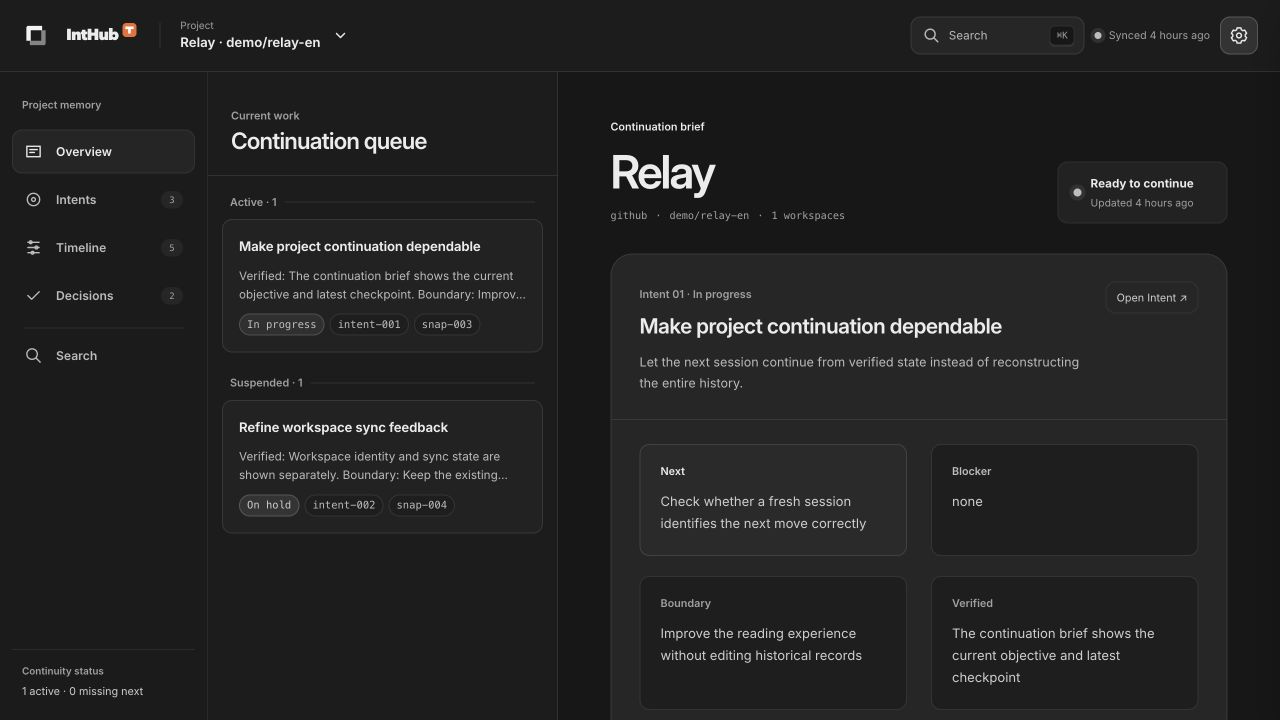
See active objectives and paused work together, with each goal's rationale and latest checkpoint.
Read verified state, boundaries, next steps and blockers from the latest record.
See standing decisions and workspace state in the brief to understand the boundary before continuing.
Browse checkpoints by objective and review what changed, why it changed and the related goals and decisions. The timeline preserves the sequence, while details retain the original semantic content.
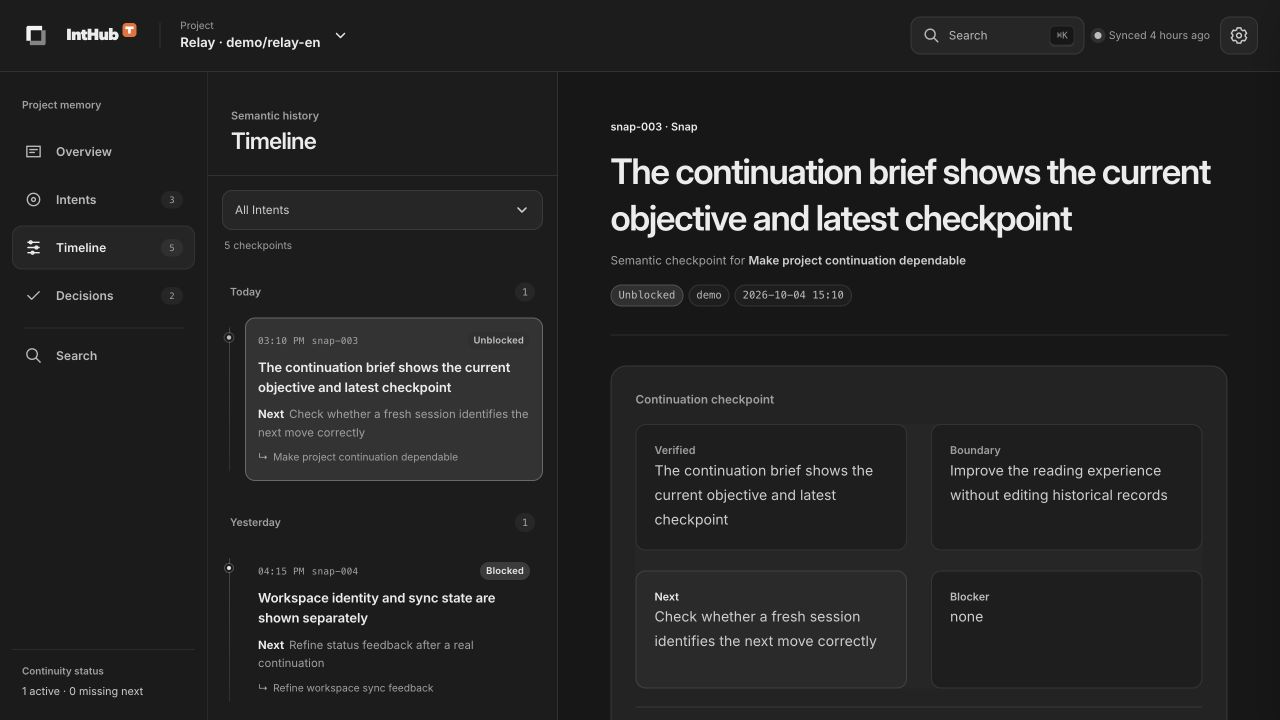
Filter checkpoints by Intent and follow meaningful changes through the timeline.
Open a checkpoint's objective, then explore its related decisions and rationale.
Keep standing constraints and their rationale visible. Explore the objectives each decision affects, and review deprecated decisions without losing their historical context.
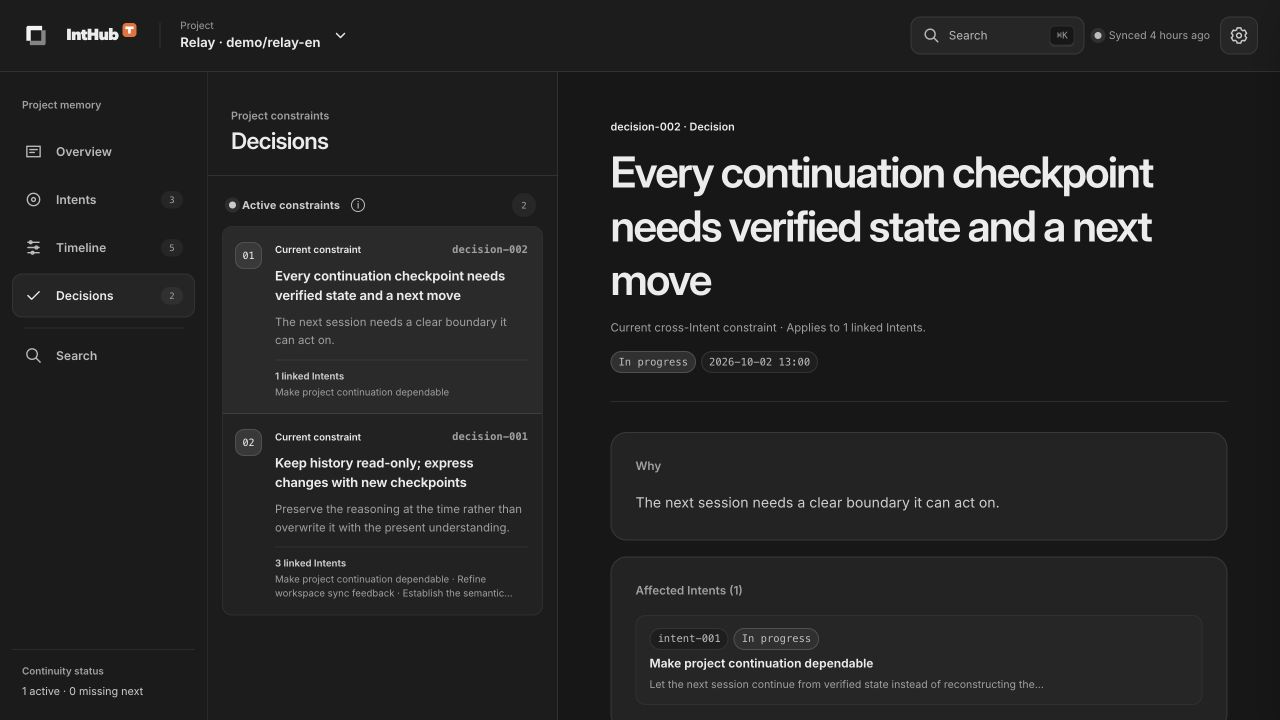
Decisions retain both the conclusion and the reason behind the choice.
Review linked objectives and distinguish standing constraints from deprecated history.
Search goals, checkpoints and decisions within the current project. Results preserve object types and original content, with direct access to details and related context.
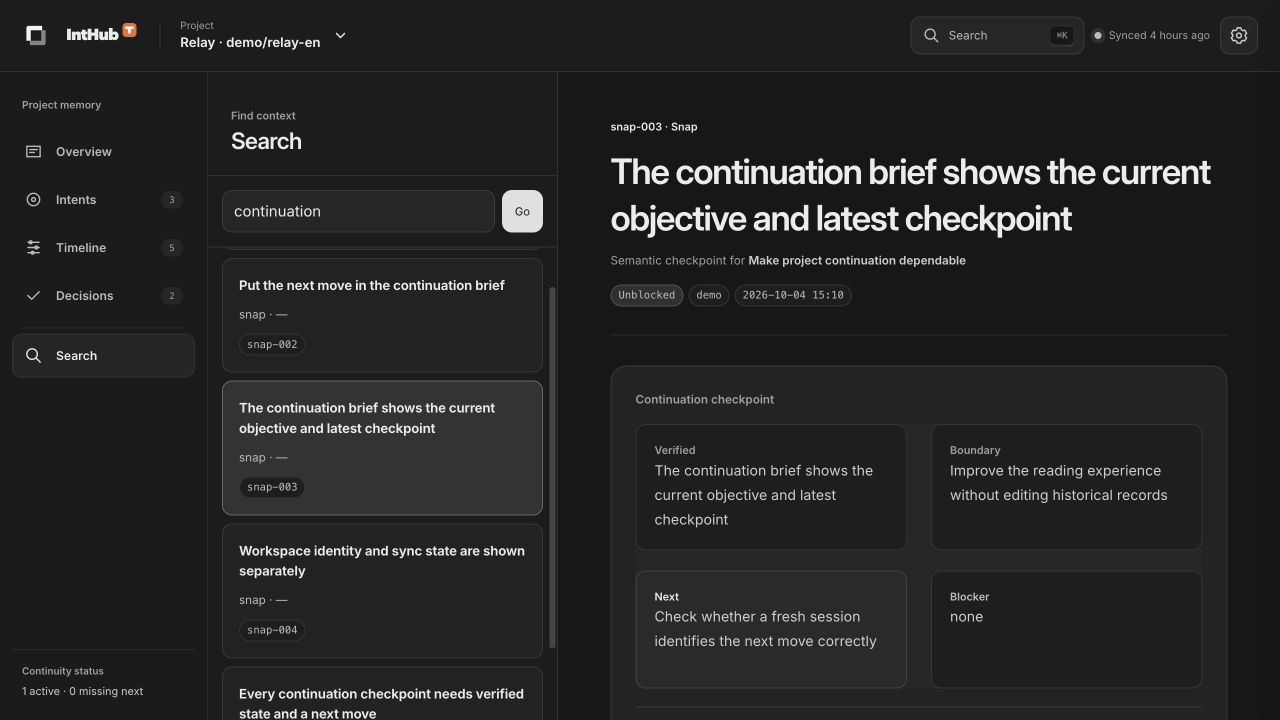
Search stays scoped to the current project to find records relevant to the work at hand.
Use Cmd / Ctrl + K to open search, then follow a result to its complete record.
Push or pull a project's semantic history through the Intent CLI and browse your private projects in IntHub. Synchronization validates snapshots and detects divergence to avoid overwriting unsynced changes.
Intent stores goals, Snaps and Decisions locally. Recording and inspection do not depend on a remote service.
Sign in with Tenon to synchronize and browse your own project history, with project data isolated by account.
Push and pull validate snapshots and synchronization state. If both sides have changed, divergence is reported without automatically overwriting either side.