Centralized management
See personal and project agents in one place, organized by ownership and operational status.
AgentHub
Deploy and manage enterprise AI agents in one place. See their status, permissions, and conversations, and connect tasks through controlled collaboration and sequential workflows.
Open AgentHub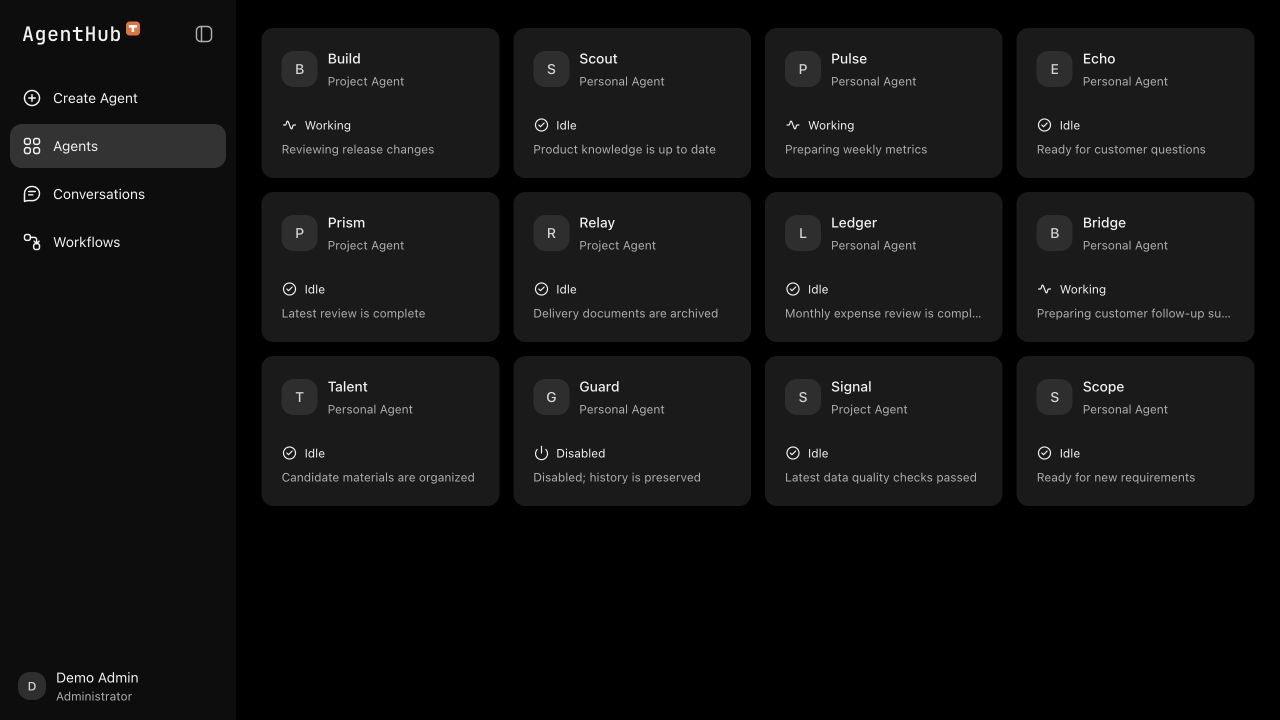
See personal and project agents in one place, organized by ownership and operational status.
Start, stop, archive, and destroy agents, and check deployment progress for each one.
Agent use and collaboration follow ownership and authorization, giving each team member a defined scope of access.
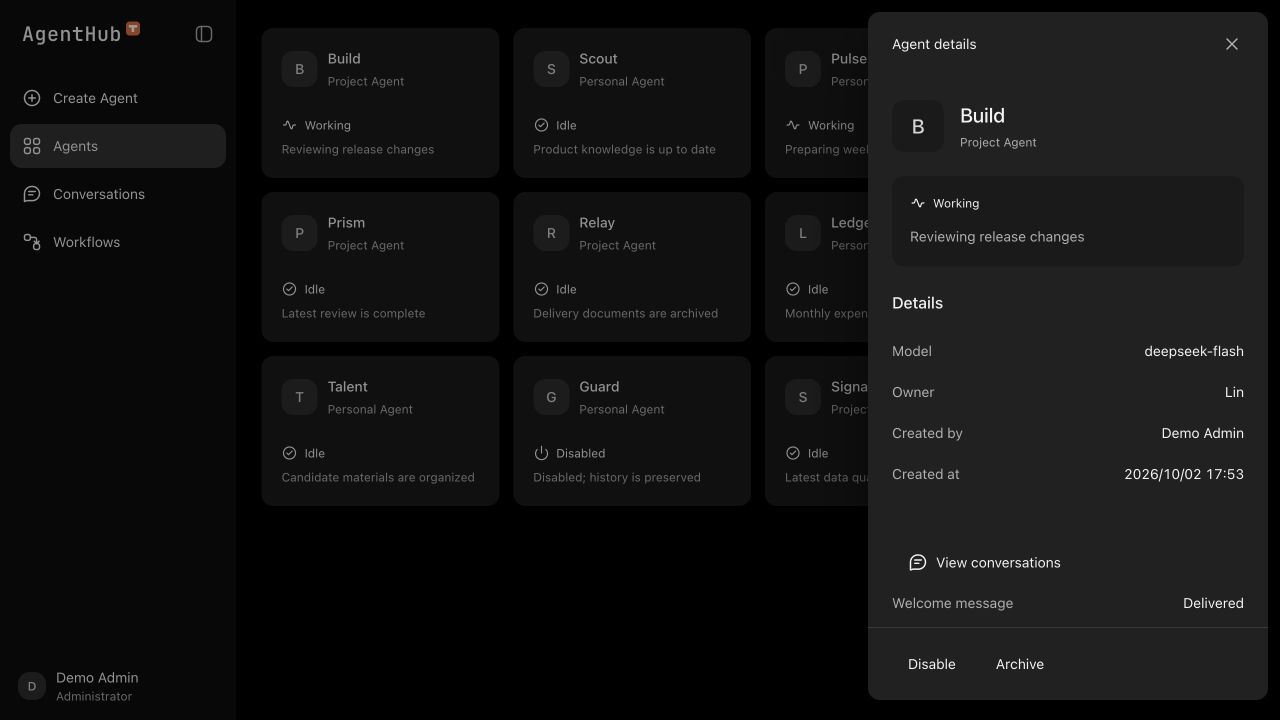
Check an agent's model, owner, creator, and operational status in its details. Start, stop, archive, or destroy agents according to your permissions. Lifecycle operations retain their results for review.
Configure the Feishu connection, runtime environment, New API model gateway, and default model in settings. Assign ownership when creating an agent. Each agent uses its own container and working directory.
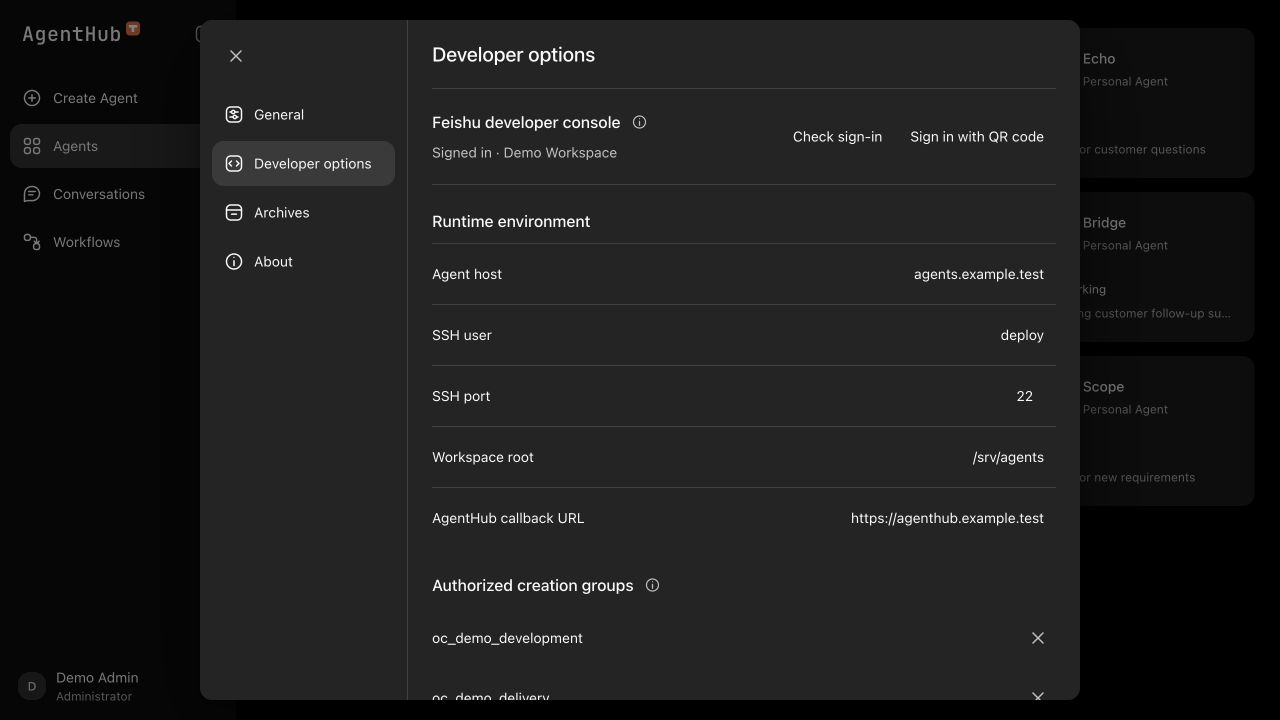
Manage the Feishu developer connection, runtime environment, and model gateway configuration in one place.
Each agent has a separate container, working directory, and model credentials for independent management.
New API is the model gateway for AgentHub. Provider credentials stay in the gateway. AgentHub issues a separate key for each agent, restricts its model access and expiration, and synchronizes access with the agent lifecycle.
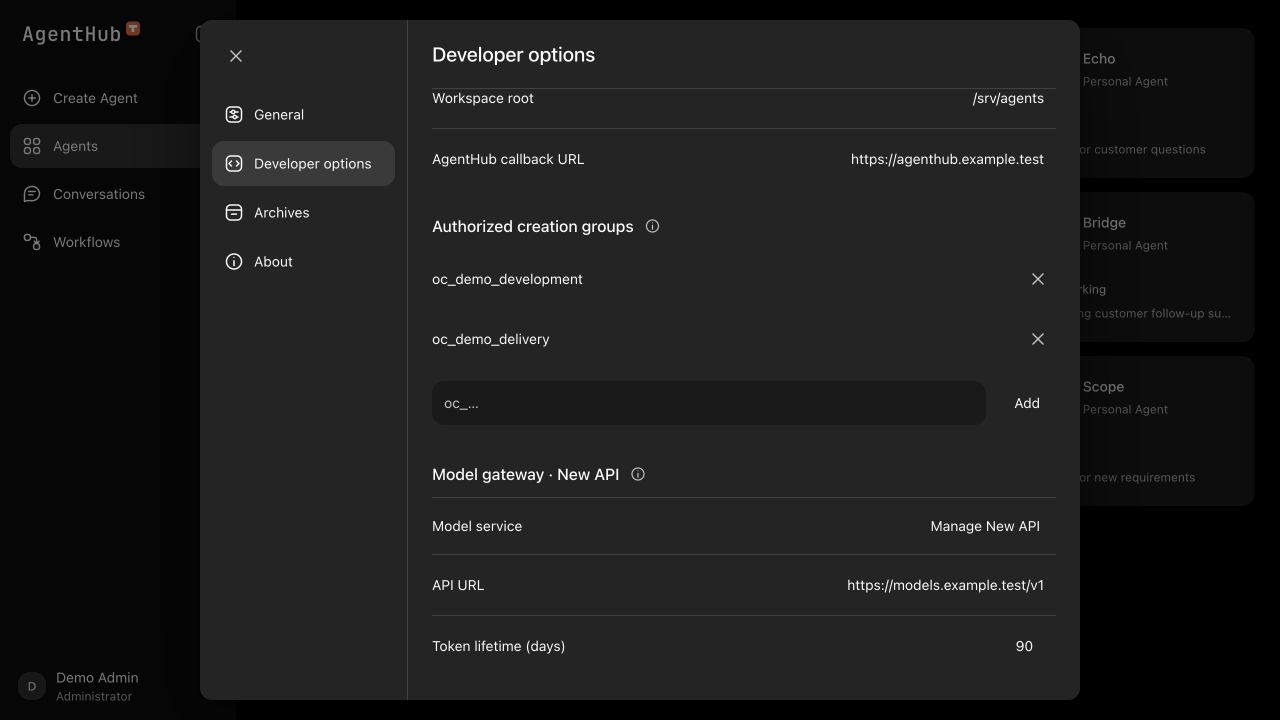
Open New API from AgentHub to manage model channels and quotas, and inspect requests and usage records.
Each agent key is restricted to its configured model and can have an expiration date.
Disable keys when agents are stopped, archived, or destroyed. Restore access when agents are enabled.
Administrators manage the cluster, while members access the agents they are authorized to use. Browse recent web and Feishu conversations by agent, with message sources and timestamps to help review the context.
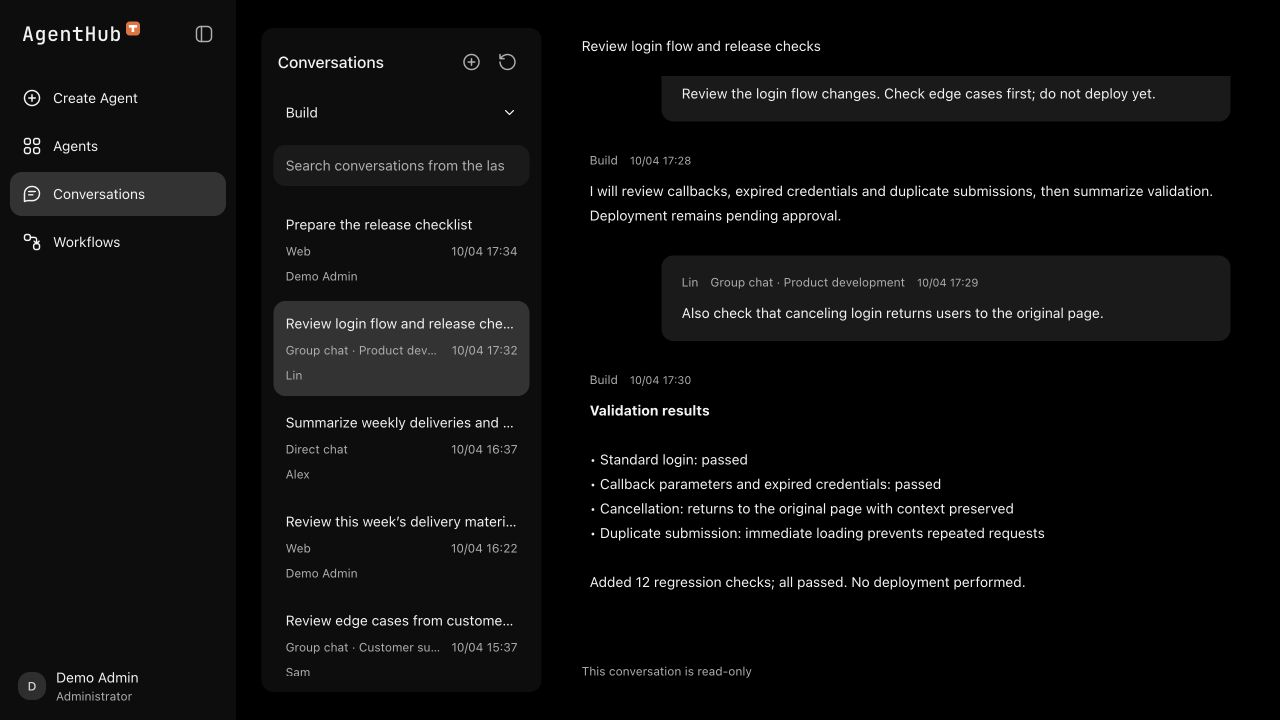
Start a conversation on the web, or use an agent through its configured Feishu integration.
Browse recent conversations by agent and review messages from users and agents, including their sources.
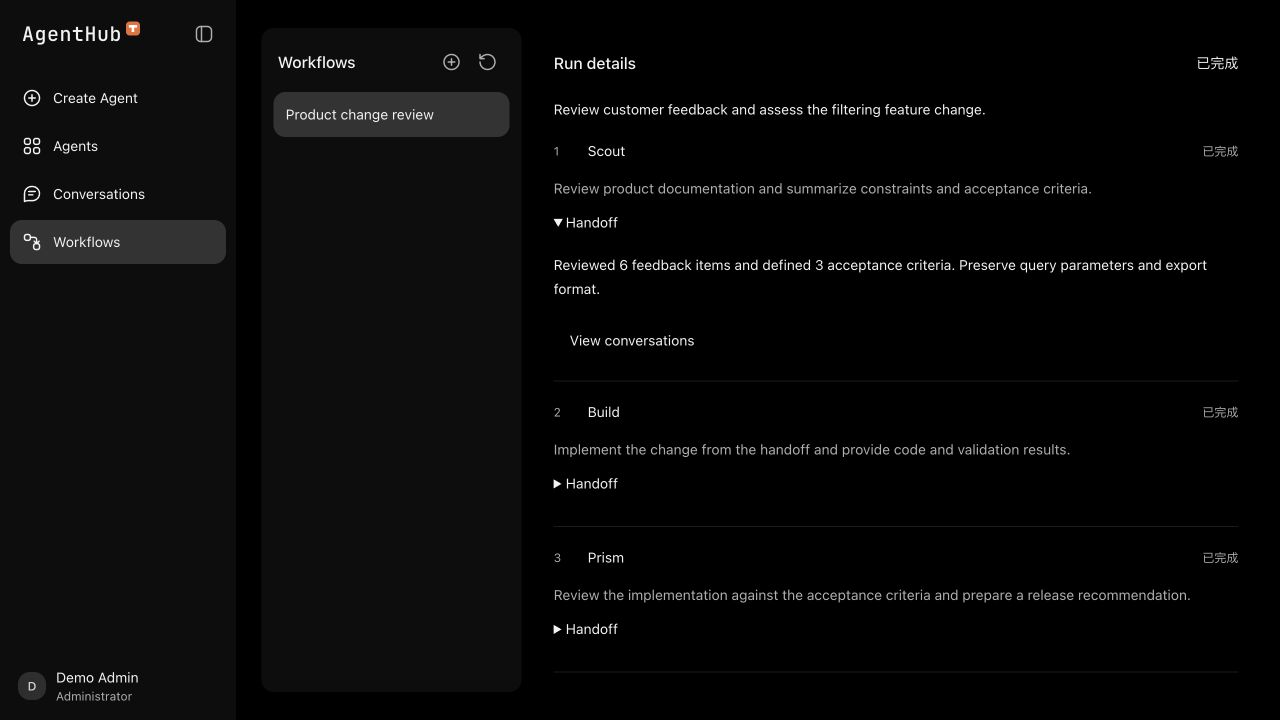
Assign an agent and instructions to each step, then pass results and files through the sequence. Run records retain step status and handoff material. Failed runs stop with a reason, making it clear which step needs review.
Collaboration between agents with different owners requires explicit authorization. Sharing a cluster does not grant access.
Each step runs in its own conversation and follows the configured sequence.
Review the status, handoff text, and artifacts from each step to see what was passed on.